| Please note! Due to the All Saints' Day public holiday, we will be closed until Tuesday, 3 November. Customer service and order processing will resume on that day. Thank you very much for your understanding, and we apologise for any inconvenience. |
By buying this product you can collect up to 24 points. Your cart will total 24 points that can be converted into a voucher of €0.72.
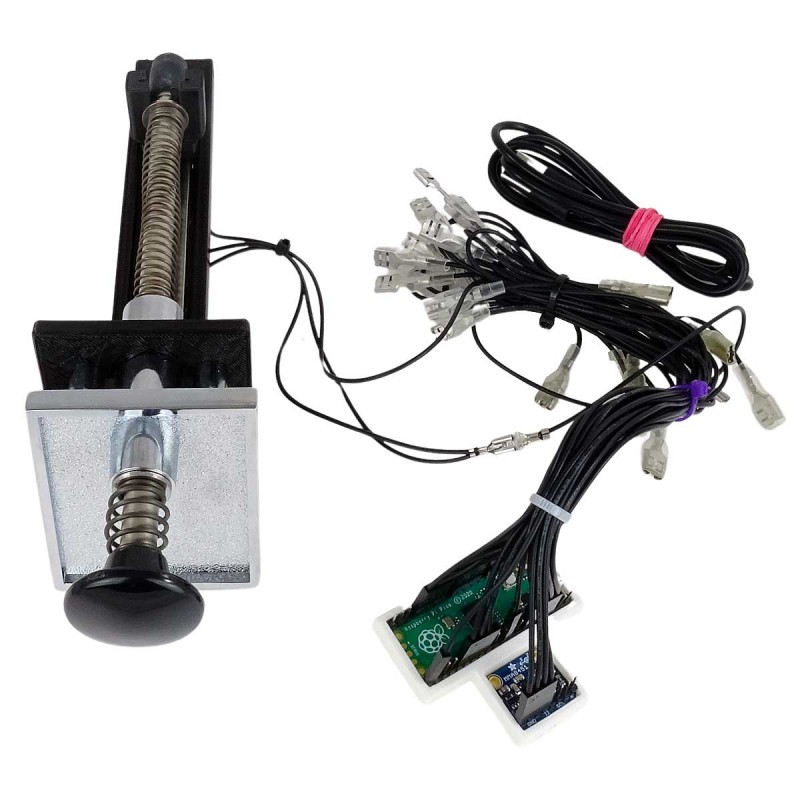
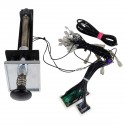
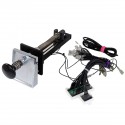
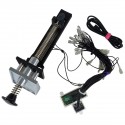
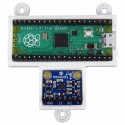
Virtual Pinball Kit with analog plunger and motion sensor based on Pinscape Pico, featuring a Raspberry Pi Pico and an MMA8451 accelerometer for realistic nudge. Compatible with Visual Pinball, Future Pinball and Pinball FX, assembled and configured by Arcade Express.
 1 year warranty
 Shipments in 24h / 48h
 15 day return policy
Introducing the new Virtual Pinball Kit with a latest-generation analog plunger and motion sensor, now based on the Pinscape Pico. This new version completely replaces the old FRDM-KL25Z board and uses a Raspberry Pi Pico running the Pinscape Pico firmware, designed specifically to deliver ultra-precise plunger position readings on any virtual pinball table.
The new controller converts the mechanical movement of the plunger into a high-resolution analog signal, giving you precise control over the force used to launch the ball. Performance is smooth and stable, with minimal latency, for a realistic experience in all the major pinball simulators.
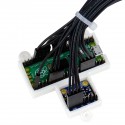
The system also includes an MMA8451 accelerometer module to handle nudge / TILT. This sensor picks up side nudges and knocks with high sensitivity, faithfully reproducing TILT faults without the need for a physical pendulum. Everything comes calibrated and ready to work straight out of the box.
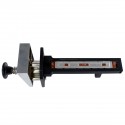
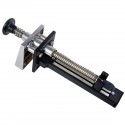
The kit includes our Suzo Happ Plunger fitted with a linear potentiometer on a custom-made 3D bracket. It connects directly to the Pinscape Pico controller, which in turn communicates with the PC via USB. The whole system arrives fully programmed and assembled, ready for minor fine-tuning in Visual Pinball, VPX, Future Pinball or Pinball FX.
For more information about the official Pinscape Pico project, visit the creator's page: https://github.com/mjrgh/PinscapePico/
The pinball plunger comes with a 3D-printed bracket with a linear potentiometer installed at its base. The potentiometer detects the full travel of the rod and sends it to the Pinscape Pico controller. The Pico processes the signal and converts it into an analog input compatible with pinball simulators.
The integrated MMA8451 module adds nudge and TILT functions by detecting physical movement of the table. The whole setup connects to the computer via USB, and calibration is carried out from the Pinscape control panel.
Every installation is slightly different, so some specific values will always need adjusting in the software. Detailed guides are available at the project link.
To light up LED buttons you will need 2 Xin Mo ground cables, available at this LINK. One cable must be connected to any of the controller's GND pins, and the other to an external 5V or 12V power supply, depending on the LEDs used.
For the Nudge function (detection of movements and knocks on the cabinet) to work correctly, the Pinscape Pico kit should be installed following these recommendations:
Position: mount the module horizontally on the inside floor of the pinball cabinet, with the electronic components facing upwards.
Recommended location: at the front of the cabinet, ideally centred between the side walls, behind the coin door.
Orientation: install the module straight, aligned with the cabinet walls, and avoid placing it at an angle.
Mounting: secure the bracket firmly using its mounting holes so the accelerometer accurately detects the cabinet's movements.
X axis (lateral): detects left-to-right movement of the cabinet.
Y axis (longitudinal): detects front-to-back movement, from the player's end (coin door and buttons) towards the back of the playfield.
Z axis (vertical): detects up-and-down movement.
Important: the MMA8451Q accelerometer comes configured by Arcade Express to use all three axes. Once installed, we recommend checking that it works correctly from the Nudge tab in the Pinscape Pico Config Tool. If movements appear inverted or swapped, they can be corrected in the device configuration.
For more information, see the official MMA8451Q setup guide.


Virtual Pinball Kit with analog plunger and motion sensor based on Pinscape Pico, featuring a Raspberry Pi Pico and an MMA8451 accelerometer for realistic nudge. Compatible with Visual Pinball, Future Pinball and Pinball FX, assembled and configured by Arcade Express.